How to Automate Home Lights Cheap Without Breaking Bank
Imagine walking into your living room after a long day, and everything adjusts to your mood. You might think this convenience needs a big budget or a pro. But, modern living is getting more affordable for all.
Creating a responsive home is easy with simple setups. By picking the right basic tools, you can control your space without breaking the bank. Smart technology is now a smart choice for any home, not just the rich.
We’ll show you how to make your home smart without spending a lot. Learning how to automate home lights cheap turns your space into a modern, comfy haven. And it won’t hurt your wallet.
Key Takeaways
- Smart technology is now an accessible upgrade for any household budget.
- You do not need expensive equipment to create a responsive living space.
- Focusing on simple cause-and-effect setups provides immediate functional benefits.
- Modernizing your environment improves daily efficiency and personal comfort.
- Strategic planning helps you achieve professional results with minimal spending.
Understanding the Basics of Affordable Smart Lighting
Creating a smart home doesn’t have to be hard or expensive. Start with the basics to add smart lighting solutions that make your life easier without spending a lot. Begin small and grow your system as you need more.
“The best technology is the kind that disappears into the background, making your life easier without demanding constant attention.”
Defining Your Automation Goals
Before buying anything, know what you want from your smart home. Do you want to save energy, boost security, or control lights with your voice? Being clear helps avoid buying too much stuff you don’t need.
Knowing what you need helps you find the best inexpensive smart lighting options. Whether it’s one lamp or your whole living room, having a plan means you only buy what you really need.
The Difference Between Smart Bulbs and Smart Plugs
It’s important to know the difference between smart bulbs and smart plugs. Smart bulbs replace your regular bulbs and can change color and dim. They’re great for lights where you want more control.
Smart plugs, on the other hand, control the power to your lamps. Just plug a lamp into the plug, and it becomes smart. This is a cheap smart lighting option for lamps that don’t need special bulbs.
Compatibility with Existing Home Wi-Fi Networks
Today’s smart lighting solutions are easy to use and connect to your Wi-Fi. Most don’t need expensive hubs, keeping costs down. This makes setting up your system simple and affordable.
Wi-Fi is the most popular choice for beginners. It lets your devices talk to your phone and voice assistants easily. Using your home’s Wi-Fi makes your system reliable and won’t break the bank.
Choosing Between Smart Bulbs and Smart Switches
When exploring smart lighting solutions, you might wonder if you should change your bulbs or switches. The decision depends on your home’s layout, your need for color changes, and your budget.
When to Opt for Smart Bulbs
Smart bulbs are a common first step in home automation. They connect to your phone or hub via Wi-Fi. This lets you adjust colors or brightness with just a tap.
Go for smart bulbs if you want quick results without rewiring. They’re great for lamps and fixtures where you want to set a mood or color.
The Advantages of Installing Smart Switches
Smart switches provide a more lasting, wall-based control option. They’re best if you like using traditional switches or control multiple bulbs at once.
Replacing your switch keeps your smart home working for guests who don’t use your app. This is a cost-effective choice for big rooms with many lights.
Cost Comparison for Multi-Room Setups
Planning a multi-room upgrade can be pricey. The table below shows the cost differences between bulbs and switches.
| Feature | Smart Bulbs | Smart Switches |
|---|---|---|
| Installation | Plug and play | Requires wiring |
| Control | App or Voice | Wall or App |
| Best For | Single lamps | Ceiling fixtures |
| Value | High for mood | High for scale |
Choosing the right hardware is key to staying within budget. By looking at these inexpensive smart lighting options, you can keep your home both functional and stylish for years.
How to Automate Home Lights Cheap Using Smart Plugs
Smart plugs are a great and affordable way to automate home lights. They connect your wall outlet to your lamp, letting you control it from afar. Learning how to automate home lights cheap is a smart choice for homeowners who want to update their space without spending a lot.
Transforming Lamps into Smart Devices
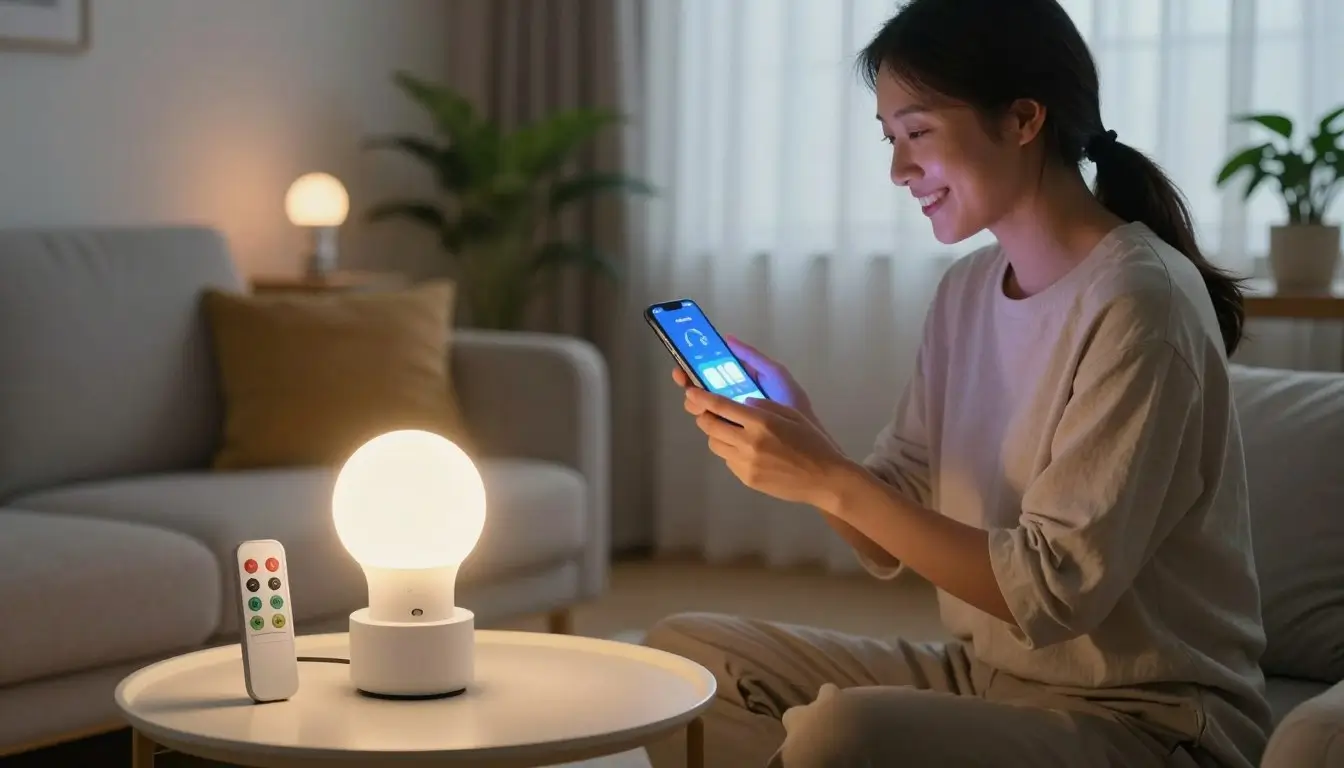
You don’t have to replace your favorite lamps to get smart features. Just plug a smart plug into your wall outlet and your lamp into the plug. This instant upgrade makes your lamp smart, letting you control it from your phone.
Setting Up Schedules for Floor and Table Lamps
After connecting your plug to Wi-Fi, you can set up schedules. For example, your living room lamp can turn on at sunset. Automated routines make sure your home is always lit when you get home, adding convenience and security.
Integrating Smart Plugs with Voice Assistants
Most smart plugs work well with voice assistants like Amazon Alexa or Google Home. Link your account and control your lamps with voice commands. This hands-free control is great when your hands are busy or you’re relaxing.
| Feature | Smart Plug | Smart Bulb | Smart Switch |
|---|---|---|---|
| Installation | Plug and Play | Screw-in | Hardwired |
| Cost | Very Low | Moderate | High |
| Control Type | Power On/Off | Dimming/Color | Wall Control |
| Best For | Lamps/Fans | Mood Lighting | Ceiling Lights |
Selecting Budget-Friendly Smart Lighting Brands
Building a smart home is easier than ever with the right brands. Finding the perfect balance between cost and performance is key. This ensures your devices are reliable and work well with your system.
Evaluating Wyze Bulb Color Options
Wyze is known for quality without a high price. Their color-changing bulbs offer a wide range of hues. This lets you set the perfect mood for any occasion. Customization is simple, and controlling your environment is easy with mobile apps.
The Value Proposition of Govee Smart Lighting
Govee offers great value for those who want to grow their setup quickly. They have a wide range of products, from basic bulbs to complex LED strips. The Govee Smart Plug 15A is a great deal, often available in a 4-pack for just $30.
Why TP-Link Kasa Remains a Reliable Choice
TP-Link Kasa is known for rock-solid connectivity and an easy-to-use interface. Many users choose this brand for its reliable performance. If you’re looking for affordable ways to automate home lights, their Kasa Smart Plug Mini is a top choice, often sold in a 4-pack for $37.
Choosing between these brands depends on your needs. Each brand offers a solid foundation for your smart home. Investing in these trusted names ensures your system works well for years.
Utilizing Motion Sensors for Hands-Free Lighting
Imagine walking into a dark room and the lights turning on automatically. Motion sensors are essential tools for a responsive home. They make affordable home automation for lights easy, without complex wiring or expensive setups.
Placement Strategies for Maximum Efficiency
For the best results, place sensors where they can see movement well. Don’t point them at windows or heat sources, as this can cause false alarms. Optimal placement is usually in corners or high on walls to cover more area.
Test your sensor’s range before mounting it for good. You want it to catch your movement as soon as you enter. The right spot makes the experience smooth and natural.
Pairing Sensors with Smart Bulbs for Hallways
Connecting a motion sensor with a smart bulb is great for hallways and closets. The light turns on when you walk by and off when you’re not there. This hands-free convenience means no more fumbling for switches in the dark.
Most smart home apps make linking these devices easy. You can even set the brightness for nighttime, so your hallway lights are soft. This is a key part of cheap diy home light automation that makes your daily life better.
Saving Energy by Automating Lights in Low-Traffic Areas
Many people waste electricity by leaving lights on in unused rooms. Motion sensors in basements, laundry rooms, or garages save energy. This proactive energy management cuts down your monthly bills.
Automating these areas also makes your bulbs last longer by using them less. This cheap diy home light automation is a smart choice for any budget. You’ll see the benefits in both comfort and savings.
Creating Lighting Scenes and Routines
You can make your home respond to you by using automated lighting scenes and routines. Scenes are the easiest home automation features to get because they let you control many devices at once. By learning these settings, you get cost-effective smart home lighting that works like a pro.

Programming Morning and Evening Routines
Setting up a daily schedule is key for cheap diy home light automation. You can set your lights to get brighter in the morning, like a sunrise. In the evening, they can dim to signal it’s time to sleep.
Using Geofencing to Trigger Lights Based on Location
Geofencing makes your automation even better by using your phone’s GPS. When you leave, your lights turn off to save energy. When you get home, they light up your entryway, so you never walk into darkness.
Grouping Lights for Whole-Room Control
Grouping lets you control many bulbs with one action. You can make a “Living Room” group to dim all lamps at once for movie nights. This makes your smart home setup seamless and efficient.
| Automation Type | Primary Benefit | Best Use Case |
|---|---|---|
| Schedules | Consistency | Morning wake-up calls |
| Geofencing | Energy Savings | Leaving or arriving home |
| Grouping | Convenience | Whole-room atmosphere |
By using these methods together, your home stays useful and affordable. Setting up these routines is a smart way to get the most from cheap diy home light automation. You’ll enjoy a modern, connected lifestyle without breaking the bank.
Integrating Voice Control Without Expensive Hubs
You don’t need a pricey central hub for voice-activated lighting. Use your Wi-Fi network to set up a cost-effective smart home lighting system. This makes your life easier and saves money.
Connecting Devices to Amazon Alexa
Amazon Alexa is great for controlling lights without extra hardware. First, link your smart bulbs or plugs to the Alexa app on your phone. Then, tap More and choose Routines to automate your space.
With this, you can set up lighting states with just a voice command. Want to dim lights for a movie or turn them off when you leave? Cost-effective smart home lighting makes it easy with custom routines.
Setting Up Google Home for Lighting Commands
Google Home is another easy way to control devices with voice commands. Link your lighting brand to the Google Home app. Then, organize bulbs by room for better control.
Just say, “Hey Google, turn off the living room lights,” to control your space instantly. This is ideal for cost-effective smart home lighting that works well with other devices. You can also group lights for a unified experience in your home.
Troubleshooting Common Connectivity Issues
At times, your voice assistant might not respond. The main reason is a lost connection to your Wi-Fi router. Always check your internet signal strength if your lights won’t respond.
If the issue continues, try restarting your smart bulb or plug. Turn it off and on at the wall switch. Also, make sure your device firmware is up to date in its app. These steps usually fix most connection problems quickly.
Energy Saving Tips to Maximize Your Investment
You can make your smart home setup pay for itself by focusing on energy management. Starting with affordable hardware is a good step. But, true budget-friendly light automation means being smart about how your devices use electricity. By controlling your settings, you keep your home efficient and cost-effective.

Monitoring Power Consumption via Mobile Apps
Most smart plugs and bulbs have apps that show your energy use in real-time. Check these apps often to see which devices use the most power. Understanding your consumption patterns helps you decide when to turn lights on or off.
- Review weekly energy reports provided by your smart home app.
- Identify “vampire” devices that consume power even when not in use.
- Set monthly usage goals to keep your utility bills predictable.
Adjusting Brightness Levels to Extend Bulb Lifespan
Running lights at full brightness is not needed for everyday tasks. Dimming them to 70% or 80% reduces heat and saves energy. This simple change extends the lifespan of your smart bulbs and lowers your energy use.
Lower light levels can make living rooms and bedrooms more comfortable. You can set presets to dim lights in the evening. This is key to budget-friendly light automation and keeps maintenance costs down.
Automating Lights to Prevent Unnecessary Usage
Turning off lights in empty rooms saves a lot of money. Use schedules or geofencing to turn off lights when you leave. Smart sensors also help manage lighting in busy areas like hallways or bathrooms.
By using these automated routines, you avoid wasting electricity. Your home will manage its own lighting, saving you money on every bill. This makes your initial investment worthwhile over time.
Common Mistakes to Avoid When Automating Lights
Building a smart home is rewarding, but some technical oversights can turn it into a headache. When you focus on budget-friendly light automation, don’t forget the technical needs of your home network. Understanding these common pitfalls will help keep your system stable and responsive for years.
Overloading Your Wi-Fi Router with Too Many Devices
Most home routers can’t handle dozens of devices at once. Adding too many smart bulbs and plugs can cause frequent connectivity drops and slow response times. This can make your lights seem unresponsive when you try to control them.
To avoid this, use a mesh Wi-Fi system or a dedicated hub if you have many devices. Spreading devices across different frequency bands can also keep your network running smoothly.
Ignoring Security Settings on Smart Home Hardware
Security is crucial when setting up budget-friendly light automation, but it’s often overlooked. Always change default passwords on your devices right after setting them up. Keeping your device firmware updated is also key, as manufacturers often release patches to fix vulnerabilities.
Choosing Incompatible Hardware for Your Home Wiring
Before buying smart switches, check your home’s electrical setup. Many smart switches need a neutral wire to work, which some older homes lack. Using the wrong hardware can cause flickering lights or even electrical hazards.
| Common Mistake | Primary Risk | Recommended Solution |
|---|---|---|
| Router Overload | Slow response times | Use a mesh network |
| Weak Security | Unauthorized access | Update firmware regularly |
| Wiring Mismatch | Electrical failure | Check for neutral wire |
By planning your budget-friendly light automation carefully, you can keep your home smart and secure. Avoiding these common mistakes will save you time, money, and frustration in the long run.
Conclusion
Upgrading your home with smart tech makes it modern and tailored to your needs. You get full control over your space and save money on bills with smart energy use.
Starting with low-cost home lighting automation is easy. Begin with simple devices and add more as you go. Brands like Wyze, Govee, or TP-Link Kasa offer reliable options. This way, you can grow your system without spending too much at first.
Make your system easy to use and respond to you. Simple routines and voice commands make your home tech-friendly. By choosing affordable smart lighting, you keep your home high-tech without breaking the bank.
Share your smart home tips with others who want to upgrade. Try out different schedules and sensor setups to find what works best for you. Begin your smart home journey today.
FAQ
What is the most affordable way to automate home lights today?
The most affordable way is using smart plugs like TP-Link Kasa. They turn any lamp into a smart light for under $15. This avoids the need for expensive fixtures or hiring an electrician.
Can I set up smart lighting solutions without a central hub?
Yes. Many modern smart lighting solutions, like those from Wyze and Govee, use Wi-Fi to connect directly to your router. This makes it easy and affordable to automate your lights without a hub.
Is cheap diy home light automation difficult for beginners?
Not at all. Most affordable smart lighting options are easy to set up. You just need to screw in a bulb or plug in a module, download an app, and follow the instructions.
How can I maintain cost-effective smart home lighting in a large house?
For big houses, using a single smart switch for multi-bulb fixtures is the best strategy. It’s cheaper than buying smart bulbs for every socket. This way, you can control many lights at once without spending a lot.
Do budget-friendly light automation devices actually save money on electricity?
Yes, they can save a lot of money. By using timers, motion sensors, and dimming, you can lower your energy use. This saves you money on your bill.
What are the best brands for affordable home automation for lights?
Wyze, Govee, and TP-Link Kasa are the top brands for affordable smart lighting. They offer reliable devices and apps without the high prices of brands like Philips Hue.