The Best Smart Home DIY Projects Under 50 Dollars: Upgrade Your Space on a Budget
In the world of technology, there is a common misconception that smart always equals expensive. We see sleek advertisements for $300 smart locks, $500 multi-room audio systems, and thousand-dollar security setups. It’s enough to make any hobbyist feel like they’ve been priced out of the future.
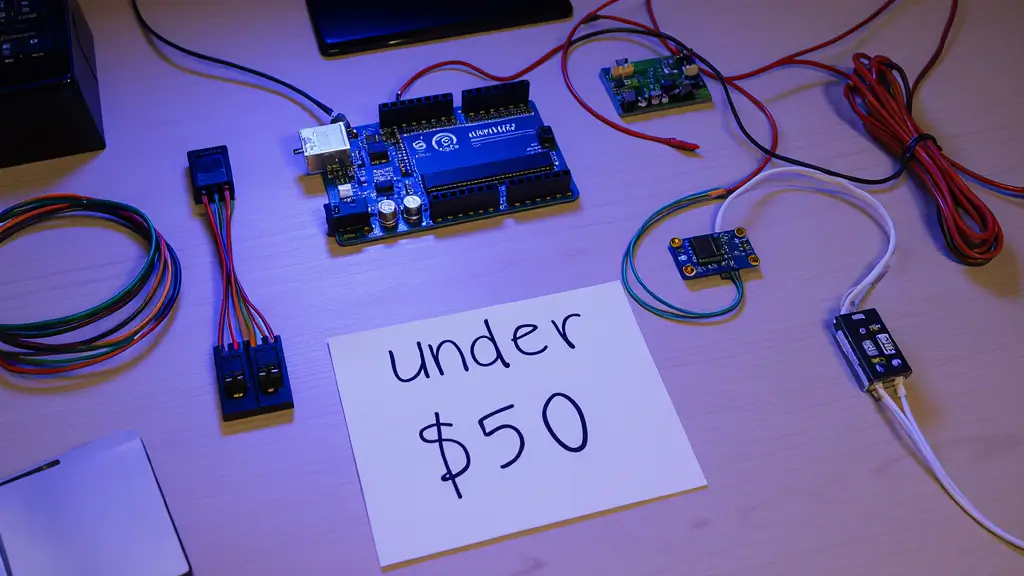
However, the real secret of the DIY community is that the most innovative upgrades don’t come from a luxury showroom they come from a small box of affordable components and a bit of creativity. If you are looking to enhance your living space without emptying your bank account, you’ve come to the right place. This guide focuses on diy projects under 50 dollars that deliver high-end results for a fraction of the cost.
Why Budget DIY Projects Are Powerful
Beyond just saving money, there are several reasons why focusing on low-cost electronics and smart home projects is the best way to learn:
- Low Financial Risk: When a project costs less than a dinner for two, you aren’t afraid to experiment. If a sensor breaks or a wire snaps, it’s a cheap lesson rather than a financial disaster.
- Modular Growth: A $50 budget allows you to master one specific area of your home like lighting or security before moving to the next.
- Customization: Off-the-shelf products are one size fits all. DIY projects allow you to build exactly what you need for your specific room layout.
The Best DIY Projects Under 50 Dollars
Here is a curated list of high-impact projects that fit comfortably within a $50 budget. Most of these can actually be completed for significantly less if you shop for components effectively.
1. The Motion-Activated Under-Cabinet Lighting
Perfect for kitchens or bathrooms, this project uses an LED strip and a PIR sensor to illuminate your countertops the moment you walk in.
- Estimated Cost: $15–$25
2. Smartphone-Controlled Smart Plug System
Instead of buying a brand-name smart plug for each outlet, you can use a single ESP8266 and a relay module to control “dumb” appliances via a web dashboard.
- Estimated Cost: $10–$15
3. DIY Indoor Air Quality Monitor
Track humidity and temperature in real-time to ensure your home environment is healthy. This project uses a DHT sensor and an OLED display.
- Estimated Cost: $12–$20
4. Smart Plant Watering Alarm
Never let a houseplant die again. Using a soil moisture sensor and a small buzzer (or a Wi-Fi notification), you can be alerted exactly when your plants need water.
- Estimated Cost: $8–$15
Step by Step: 2 Practical Budget Projects
Let’s dive into the specifics of how to execute two of the most popular diy projects under 50 dollars.
Project A: The Welcome Home Entryway Light
This project ensures you never walk into a dark house again. It uses a magnetic door sensor and a smart-enabled LED strip.
Required Materials:
- Magnetic Reed Switch ($3)
- ESP8266 Microcontroller ($5)
- 5V LED Strip – 1 Meter ($8)
- Micro USB Power Cable ($2)
Setup Instructions:
- Mount the Sensor: Place the magnetic reed switch on your front door frame and the magnet on the door itself.
- Wiring: Connect the switch to a digital input pin on the ESP8266.
- The Logic: Program the microcontroller to detect when the circuit is “broken” (the door opens).
- The Result: When the door opens, the ESP8266 triggers the LED strip to glow for 60 seconds.
Project B: Universal Infrared (IR) Remote Blaster
This project allows you to control your TV, Air Conditioner, and Soundbar from your phone by mimicking the signals of your old plastic remotes.
Required Materials:
- ESP8266 or ESP32 ($5–$7)
- IR Transmitter LED ($2)
- IR Receiver (for learning codes) ($2)
- Small Project Box ($4)
Setup Instructions:
- Learn the Codes: Use the IR receiver to “record” the signals from your existing remotes.
- Web Server: Set up a simple web server on the ESP8266 with buttons for “Power,” “Volume,” and “Source.”
- Deployment: Place the box within line-of-sight of your devices. You can now turn off the TV from the other room using your smartphone.
Required Materials: The Budget Component List
To keep your diy projects under 50 dollars, you should stock up on these versatile components that can be used across multiple builds:
| Component | Average Price | Use Case |
| ESP8266 (NodeMCU) | $4 – $6 | The “Brain” with Wi-Fi connectivity. |
| Relay Module (1-Channel) | $2 – $3 | Switching high-voltage appliances. |
| DHT11 Sensor | $2 – $4 | Temperature and humidity sensing. |
| PIR Motion Sensor | $1 – $3 | Detecting human presence. |
| Jumper Wires (40pcs) | $3 – $5 | Making connections without soldering. |
Mistakes to Avoid When Working on a Budget
- Buying “All-In-One” Kits: While convenient, many “Starter Kits” contain parts you will never use. It is almost always cheaper to buy exactly the parts you need for a specific project.
- Ignoring Power Consumption: Some cheap Wi-Fi modules stay “awake” 24/7, which can drain batteries fast. Always look for Deep Sleep tutorials to keep your projects efficient.
- Poor Cable Management: Just because it’s a budget project doesn’t mean it should look messy. Use heat-shrink tubing and small plastic enclosures to keep your wiring safe and professional.
Pro Tips to Save Even More Money
- Salvage Old Tech: Before buying a new 5V power supply, check your “junk drawer.” Old phone chargers and USB cables are perfect power sources for almost all diy projects under 50 dollars.
- Shop Globally: Platforms like AliExpress or Banggood offer components at factory prices if you are willing to wait a few weeks for shipping.
- Use Open Source Firmware: Instead of writing complex code from scratch, use tools like WLED for lights or ESPHome for sensors. They are free and significantly reduce development time.
FAQs
Are these projects safe for absolute beginners? Yes. Most of these projects operate on 5V DC power, which is very safe. However, always exercise extreme caution if you are using a relay to control 110V/220V mains electricity.
Do I need a high-end computer to program these? Not at all. The software used to program these chips (like the Arduino IDE) is lightweight and can run on almost any laptop or desktop from the last decade.
Can these projects work without an internet connection? Many can! While Wi-Fi is great for phone control, you can program these devices to work entirely offline using physical sensors and local logic.
Start Your Budget Build Today
The beauty of diy projects under 50 dollars is that they remove the biggest barrier to entry: cost. You don’t need a massive budget to make your home smarter, more efficient, and more responsive to your needs.
By starting with small, focused builds like an automatic light or a temperature monitor, you gain the skills necessary to eventually tackle much larger systems. The most important step is to simply begin. Pick one project from this list, order the components, and start building your custom home of the future today.